
Items borrowed by SearchOhio/OhioLINK libraries will be returned through STAT. Once unpacked, these are to be checked in on both the DCB system and the local ILS.
Checking in Items
Open INN-Reach DCB and click on “My Item Check-In” on the left-hand menu.

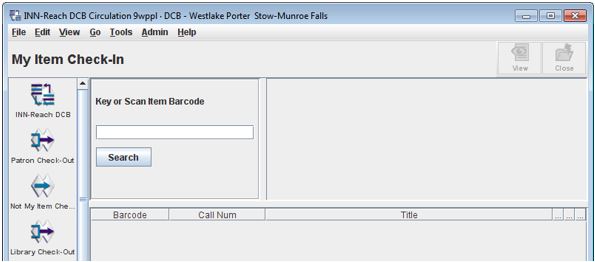
Before checking an item in:
- Verify that items have all of their parts (discs, booklets, etc.) before checking them in. Set aside any that are missing pieces.
- Click in the empty field and begin scanning items.
- Note: You must type “b” before scanning any barcode that ends in %, $, or +.
- A successful check-in produces the following pop-up:

- Click “OK” and repeat the process until all items have been checked in via the DCB.
- Peel off any stickers added to the items and remove any papers like receipts and old paging slips.
- Check all items in through the local ILS.